
CloudMineCrypto.com
Introduction to CloudMineCrypto

What is CloudMineCrypto?
CloudMineCrypto is a cloud-based Bitcoin mining experience you can use on mobile or desktop. Start with a free plan or choose an optional paid plan, then track your hashrate, boosts, and reward progress in one simple dashboard, no mining hardware setup required.
Good to know: Rewards can fluctuate and aren’t guaranteed, and may be lower than optional purchase amounts. Hashrate, boosts, and contract terms are calculation features and do not represent ownership or control of physical mining hardware.
Getting started
All available plans are shown on the main screen. Plans can differ by hashrate and duration, which affects how quickly progress builds and how long the plan stays active.
You can start for free by claiming the free plan. When you’re ready, you can choose an optional paid plan and complete checkout to activate it.
To find a plan that fits you, use the slider at the top of the screen to compare tiers and see the details before confirming.
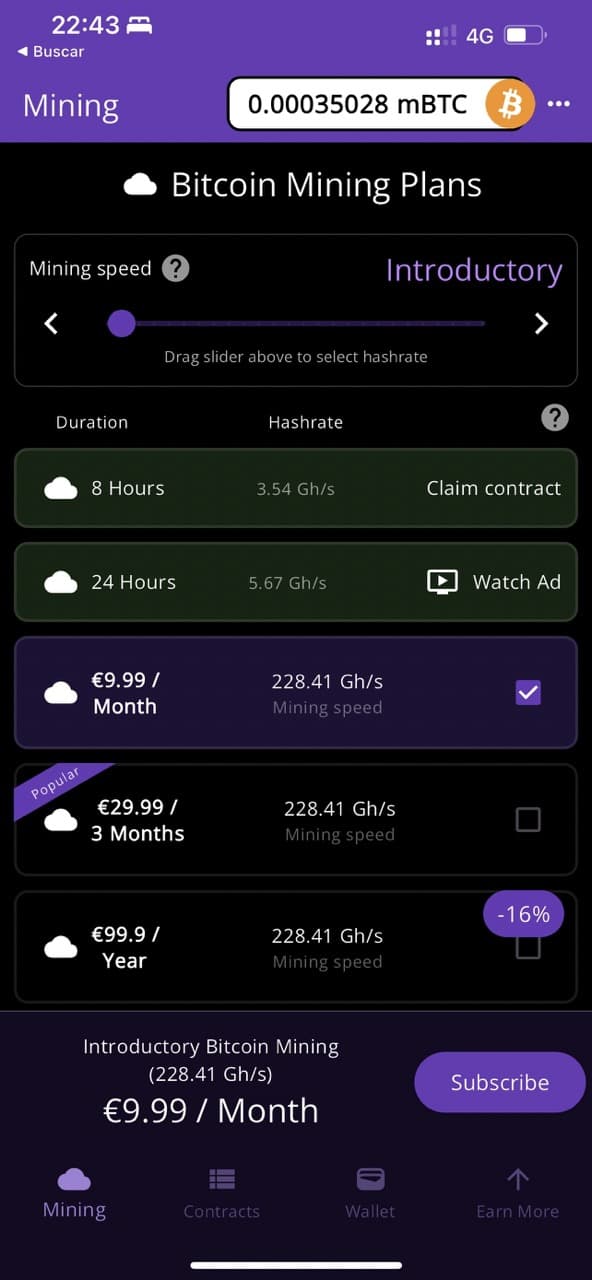
Main screen showing plan tiers and pricing
Tracking your progress
After you activate your first plan, you’ll see your plans screen with your mining plans.
You can view progress per plan, see totals, and sort or filter by status to understand what’s running right now.
You’ll also see popular plan options to help you compare tiers.
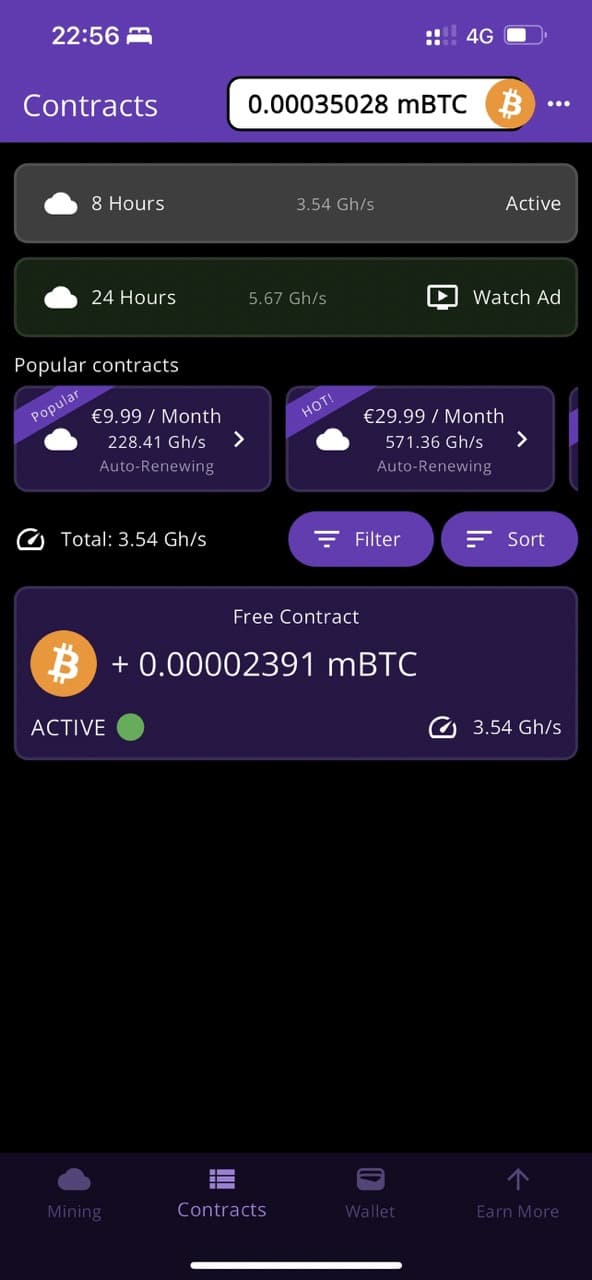
Plans screen showing active and past plans
Your rewards balance
The wallet screen shows your in-app rewards balance, past activity, and withdrawal options to your own Bitcoin address or a supported exchange destination.
You can also change display formatting. Tap Format to choose how your balance is shown.
“Bitcoin, 14 decimals” is a popular option because it’s precise and matches how many wallets and exchanges display amounts.

Wallet screen showing rewards balance and formatting options
Withdrawing rewards
Open the step-by-step withdrawal tutorial.From the withdraw screen you can request a transfer to your own Bitcoin address or a Lightning invoice (if supported by your destination wallet/exchange).
You’ll see the minimum and maximum amounts for the selected network on the screen. Choose an amount within those limits and confirm the destination details.
Many modern Lightning wallets support “tap to withdraw” flows, while exchanges and older wallets may require you to paste an address or invoice instead.
Once submitted, withdrawals are processed and sent to the destination you provided (subject to applicable requirements, limits, or verification if required).
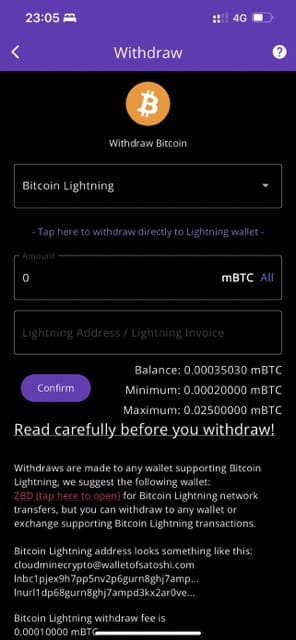
Withdraw screen showing network and destination options
Boosts, referrals, and optional offers
You can explore optional boosts and higher plan tiers to change how your progress is calculated in the app. Boost rules and availability may change over time.
You can also invite friends, referral bonuses may be available based on the current referral program rules.
In the “Earn more” screen, you can find your invite code, share it, or enter a friend’s code. You may also see optional partner offers that provide bonuses or perks inside the app.
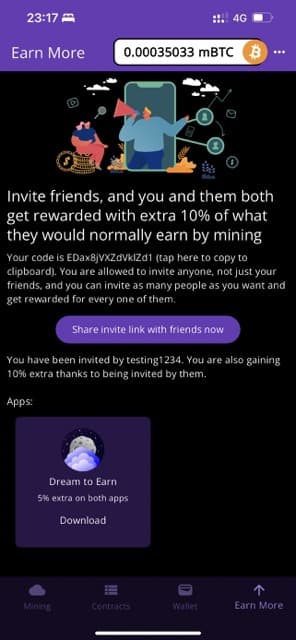
Earn more screen showing referrals and optional offers
If you have any questions or need help, contact us at [email protected].